
51 lines
1.0 KiB
Markdown
51 lines
1.0 KiB
Markdown
# Media manager
|
||
|
||
This tool for manage local files
|
||
|
||
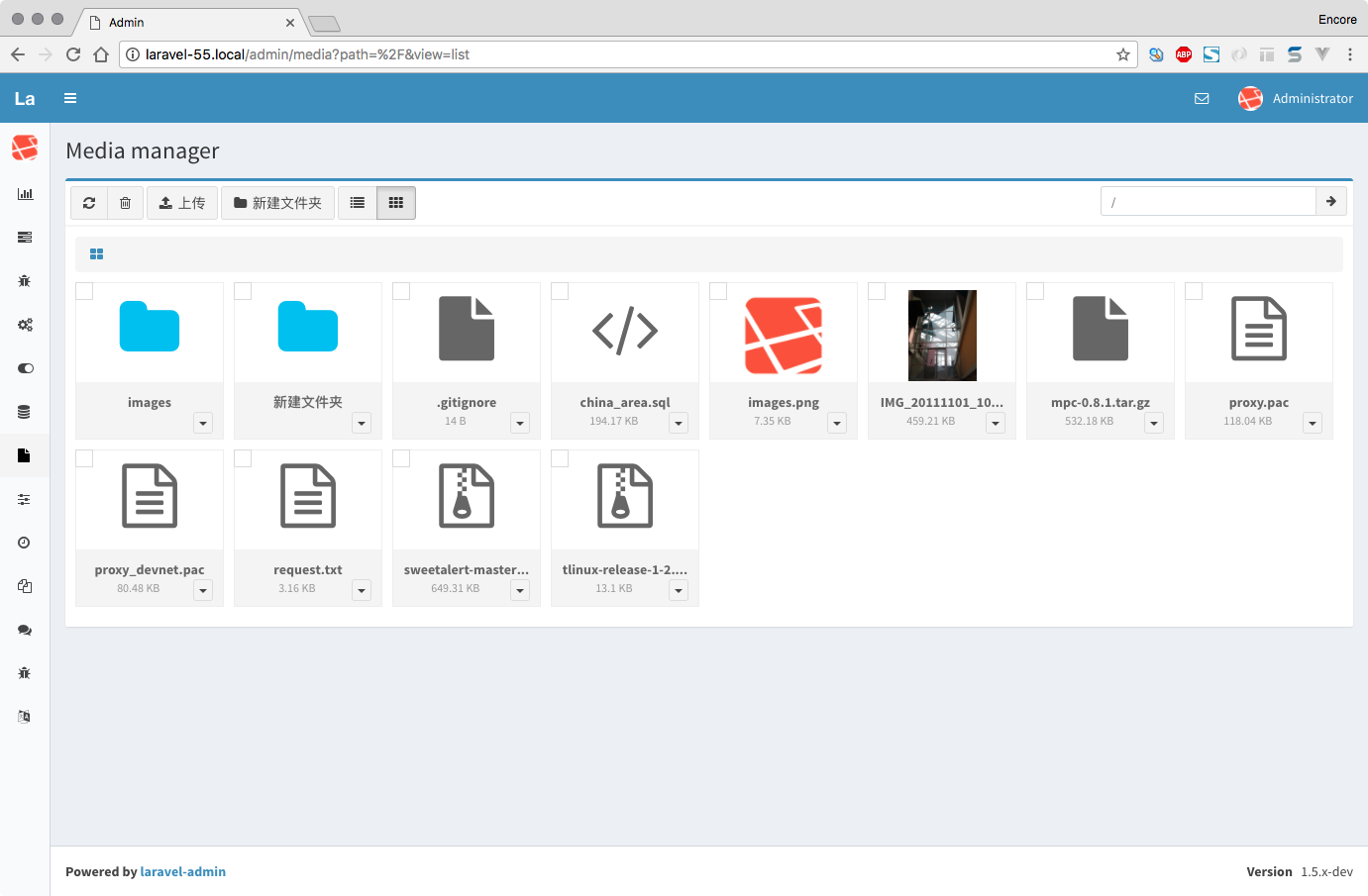
|
||
|
||
## Installation
|
||
|
||
```
|
||
$ composer require laravel-admin-ext/media-manager -vvv
|
||
|
||
$ php artisan admin:import media-manager
|
||
```
|
||
|
||
## Configuration
|
||
|
||
Open `config/admin.php` specify the disk you want to manage
|
||
|
||
```php
|
||
|
||
'extensions' => [
|
||
|
||
'media-manager' => [
|
||
'disk' => 'public' // Points to the disk set in config/filesystem.php
|
||
],
|
||
],
|
||
|
||
```
|
||
|
||
`disk` is the local disk you configured in `config/filesystem.php`, visit by access `http://localhost/admin/media`.
|
||
|
||
Note If you want to preview the picture in the disk, you must set the access url in the disk configuration:
|
||
|
||
|
||
`config/filesystem.php`:
|
||
```php
|
||
|
||
'disks' => [
|
||
|
||
'public' => [
|
||
'driver' => 'local',
|
||
'root' => storage_path('app/public'),
|
||
'url' => env('APP_URL').'/storage', // set url
|
||
'visibility' => 'public',
|
||
],
|
||
|
||
...
|
||
]
|
||
```
|
||
|